Building the Sample App
This guide walks you through building, installing, and running the sample application that comes with the Plate Recognizer Android SDK. The sample app demonstrates how to initialize the SDK and process images for license plate recognition.
Prerequisites
Please read the requirements in the System Requirements page before proceeding.
Setting Up the Sample Project
1. Extract the SDK Package
- Download the SDK package
- Unzip the provided SDK package
- You should see the
snapshot-androiddirectory
2. Open in Android Studio
-
Launch Android Studio
-
Select "Open an Existing Project"
-
Navigate to and select the
snapshot-androiddirectory -
Wait for Android Studio to index the project
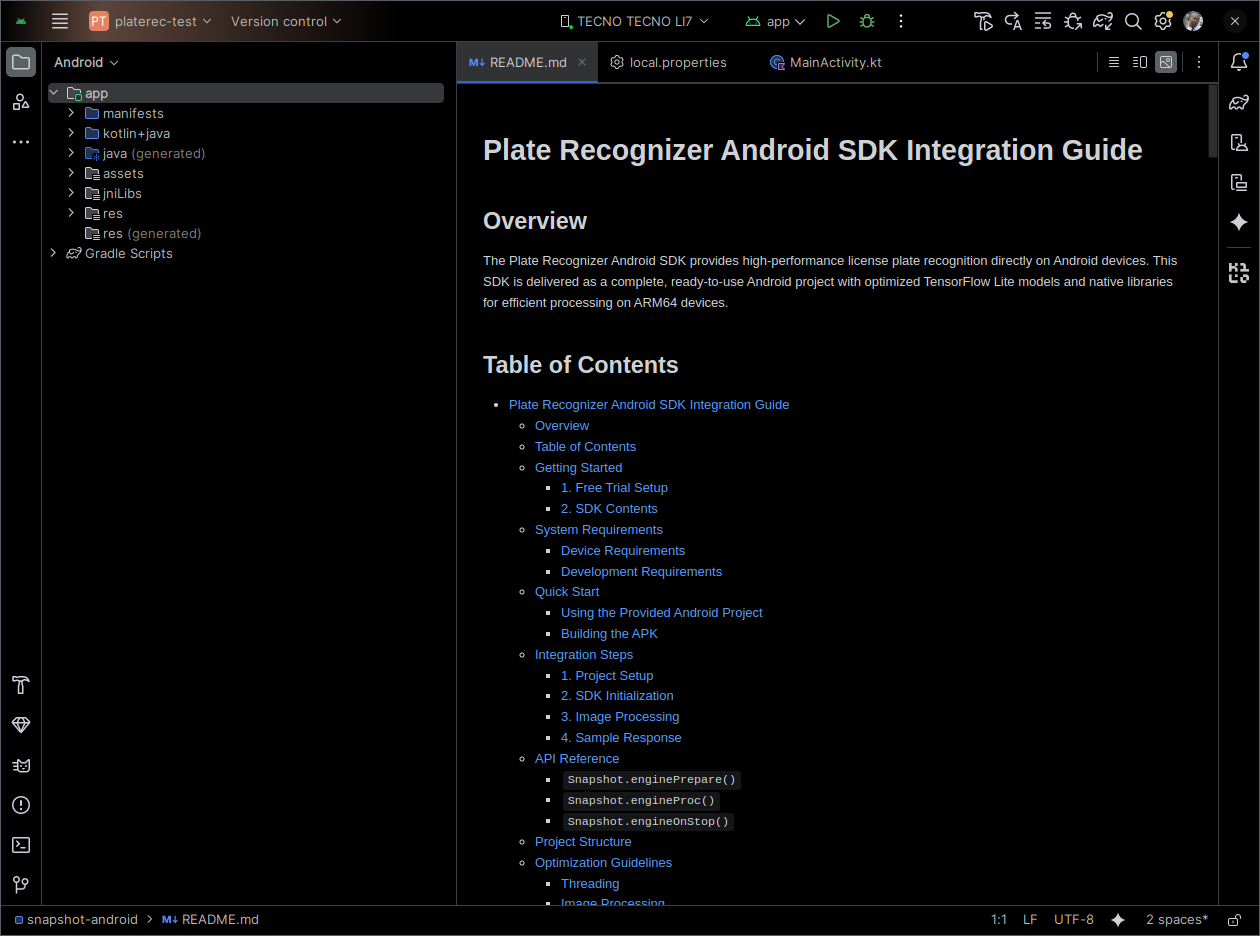
3. Configure License Credentials
-
In the project root, create or edit the
local.propertiesfile -
Add your credentials:
# Add your Plate Recognizer credentials
LICENSE_KEY=YOUR_LICENSE_KEY
TOKEN=YOUR_TOKEN
Replace YOUR_LICENSE_KEY and YOUR_TOKEN with your actual credentials. To obtain them, follow the instructions in the Obtaining Your Credentials section.
4. Verify Project Configuration
The project should already be configured, as per the Development Requirements section. However, ensure that:
- The
build.gradlefiles are properly set up - The
jniLibsdirectory contains the native libraries - The
assetsdirectory contains the required model files
Building the Sample App
Using Android Studio
Emulators are not supported. Ensure you are using a physical ARM64 device.
-
Connect Device: Connect your ARM64 Android device via USB. Make sure that your device has processing enabled:
-
Go to Settings > About Phone
-
Tap "Build Number" 7 times to enable Developer Options
-
In Developer Options, enable "USB Debugging"
warning- If you are using a Windows machine, you might need to install the appropriate USB drivers for your device.
- Please note that the exact location and naming of these settings might vary slightly depending on your device manufacturer and Android version.
- Enabling developer settings might void your device warranty, or cause certain apps or features to become unavailable or block from running on your phone.
-
Authorize your computer on the device when prompted
-
-
Select Device: In Android Studio, select your connected device from the device dropdown. You should also be able to see your device in the "Device Manager" tab.
-
Build and Run: Click the "Run" button (green play icon). When you do, Android Studio will:
- Build the project with Gradle
- Install the APK on your connected device
- Launch the sample app automatically
- Connect to the device's logcat for debugging output
Using Command Line
You can build the APK using the Gradle wrapper:
# Navigate to the project directory
cd snapshot-android

# Build the debug APK
./gradlew assembleDebug

# Build the release APK
./gradlew assembleRelease

# Clean build (if needed)
./gradlew clean assembleDebug
Build Output: The APK will be located in:
- Debug:
app/build/outputs/apk/debug/app-debug.apk - Release:
app/build/outputs/apk/release/app-release.apk
Installing the APK
Method 1: Direct Installation (Debug Builds)
If you built a debug APK, you can install it directly:
# Install the debug APK
adb install app/build/outputs/apk/debug/app-debug.apk

# Or using the Gradle task
./gradlew installDebug
Method 2: Manual Installation
- Transfer the APK file to your device
- On the device, go to Settings > Security
- Enable "Unknown Sources" or "Install from Unknown Sources"
- Use a file manager to locate and tap the APK file
- Follow the installation prompts
Google Play Protect, as well as other security features, may warn you about installing apps from unknown sources. You can choose to proceed with the installation. For this reason, it's more convenient to install it via ADB or Android Studio during development.
Running the Sample App
App Structure
The sample app includes:
MainActivity.kt: Demonstrates SDK initialization and image processingSnapshot.kt: Kotlin wrapper for the native Snapshot SDK library- Sample Images: Test images in the assets folder
- Result Display: Shows recognition results with confidence scores in JSON format.
For a full description, please refer to the Project Structure section.
App Features
- SDK Initialization: Automatically initializes the SDK on app startup
- Image Processing: Load and process images from device storage
- Results Display: Shows detected license plates with bounding boxes
- Performance Metrics: Displays processing time and confidence scores
- Vehicle Detection: Optional make, model, and color detection (requires MMC package)
Testing the App
-
Launch the App: Open the installed "Plate Recognizer Sample" app

-
Prepare and Process Images:
- The Snapshot SDK engine initializes automatically when the app starts, with the token and license key provided in the
local.propertiesfile. Among other things, it will:- Check the license validity online.
- Load the machine learning models from the
assets/directory.
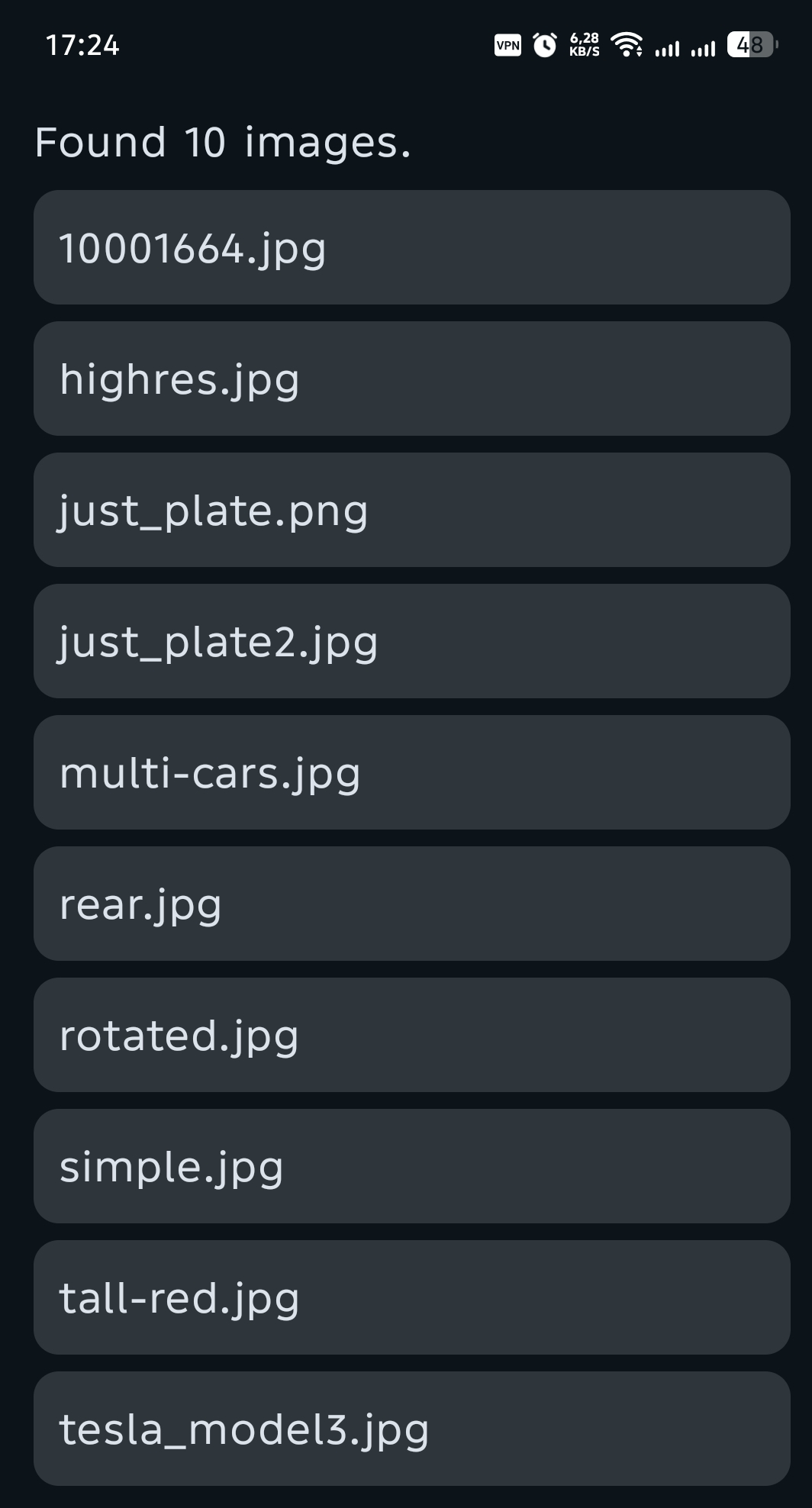
- The app will automatically process all images in the
assets/directory.
- The Snapshot SDK engine initializes automatically when the app starts, with the token and license key provided in the
-
View Results: The app will display, in JSON format, the following information for each processed image:
- Detected license plate text
- Bounding box coordinates
- Confidence scores
- Processing time
tipPlease refer to the
engineProc()for details on the response structure.

Debugging
To view logs and debug information:
- Connect your device via USB
- Open Android Studio's Logcat view
- Filter for the
com.parkpow.platerectag to see SDK-specific logs
For a successful run, the logcat should show messages indicating successful SDK initialization and image processing results.
...
2025-12-27 20:41:23.162  27716-30387  PlateRec-M        com.parkpow.platerec  W  [2025-12-27 20:41:23.162] [Snapshot] [warning] [sentry] failed to create database directory or there is no write access to this directory
2025-12-27 20:41:23.162  27716-30387  PlateRec-M        com.parkpow.platerec  W  [2025-12-27 20:41:23.162] [Snapshot] [warning] [sentry] `sentry_init` failed
2025-12-27 20:41:23.162  27716-30387  PlateRec-M        com.parkpow.platerec  I  [2025-12-27 20:41:23.162] [Snapshot] [info] Preparing Android environment...
2025-12-27 20:41:23.162  27716-30387  PlateRec-M        com.parkpow.platerec  I  [2025-12-27 20:41:23.162] [Snapshot] [info] PlateRecognizer v1.55.0
2025-12-27 20:41:24.497  27716-30294  arkpow.platerec   com.parkpow.platerec  I  Compiler allocated 6774KB to compile void android.view.ViewRootImpl.performTraversals()
2025-12-27 20:41:26.881  27716-30303  FdLeakLice        com.parkpow.platerec  D  FdLeakCheck app is not systemapp!!!
2025-12-27 20:41:27.923  27716-30415  ProfileInstaller  com.parkpow.platerec  D  Installing profile for com.parkpow.platerec
2025-12-27 20:41:31.559  27716-30387  PlateRec-M        com.parkpow.platerec  I  [2025-12-27 20:41:31.558] [Snapshot] [info] There is a new version available. Please upgrade: https://guides.platerecognizer.com/docs/snapshot/getting-started/#upgrade
2025-12-27 20:41:31.559  27716-30387  PlateRec-M        com.parkpow.platerec  I  [2025-12-27 20:41:31.559] [Snapshot] [info] Starting online registration
2025-12-27 20:41:31.890  27716-30295  arkpow.platerec   com.parkpow.platerec  W  userfaultfd: MOVE ioctl seems unsupported: Connection timed out
2025-12-27 20:41:31.969  27716-30387  PlateRec-M        com.parkpow.platerec  I  [2025-12-27 20:41:31.969] [Snapshot] [info] You have used 2/2 license(s).
2025-12-27 20:41:31.969  27716-30387  PlateRec-M        com.parkpow.platerec  I  [2025-12-27 20:41:31.969] [Snapshot] [info] License Key: RgzWzsYdZZ
2025-12-27 20:41:41.559  27716-30387  PlateRec-M        com.parkpow.platerec  I  [2025-12-27 20:41:41.559] [Snapshot] [info] Usage since 2025-11-27: 903/25000 calls.
2025-12-27 20:41:41.603  27716-30387  PlateRec-M        com.parkpow.platerec  I  [2025-12-27 20:41:41.603] [Snapshot] [info] Loading...
2025-12-27 20:41:41.959  27716-30387  PlateRec-M        com.parkpow.platerec  I  [2025-12-27 20:41:41.959] [Snapshot] [info] Loading detection zones.
2025-12-27 20:41:43.613  27716-30387  tflite            com.parkpow.platerec  I  Initialized TensorFlow Lite runtime.
2025-12-27 20:41:43.615  27716-30387  libc              com.parkpow.platerec  W  Access denied finding property "ro.hardware.chipname"
2025-12-27 20:41:43.618  27716-30387  tflite            com.parkpow.platerec  I  Created TensorFlow Lite XNNPACK delegate for CPU.
2025-12-27 20:41:43.668  27716-30387  tflite            com.parkpow.platerec  I  Replacing 70 node(s) with delegate (TfLiteXNNPackDelegate) node, yielding 2 partitions.
2025-12-27 20:41:43.837  27716-30387  tflite            com.parkpow.platerec  I  Replacing 4 node(s) with delegate (TfLiteXNNPackDelegate) node, yielding 5 partitions.
2025-12-27 20:41:45.626  27716-30387  tflite            com.parkpow.platerec  I  Replacing 70 node(s) with delegate (TfLiteXNNPackDelegate) node, yielding 2 partitions.
2025-12-27 20:41:45.646  27716-30387  tflite            com.parkpow.platerec  I  Replacing 70 node(s) with delegate (TfLiteXNNPackDelegate) node, yielding 2 partitions.
2025-12-27 20:41:45.668  27716-30387  tflite            com.parkpow.platerec  I  Replacing 70 node(s) with delegate (TfLiteXNNPackDelegate) node, yielding 2 partitions.
2025-12-27 20:41:45.694  27716-30387  PlateRec-M        com.parkpow.platerec  I  [2025-12-27 20:41:45.694] [Snapshot] [info] Engine is ready!
2025-12-27 20:41:45.694  27716-30387  PlateRec-M        com.parkpow.platerec  I  enginePrepare() took 22618ms
2025-12-27 20:41:45.942  27716-30387  tflite            com.parkpow.platerec  I  Replacing 70 node(s) with delegate (TfLiteXNNPackDelegate) node, yielding 2 partitions.
2025-12-27 20:41:45.991  27716-30387  PlateRec-M        com.parkpow.platerec  I  Finished 10001664.jpg in 268ms
2025-12-27 20:41:46.441  27716-30387  PlateRec-M        com.parkpow.platerec  I  Finished highres.jpg in 428ms
2025-12-27 20:41:46.519  27716-30387  PlateRec-M        com.parkpow.platerec  I  Finished just_plate.png in 57ms
2025-12-27 20:41:46.580  27716-30387  PlateRec-M        com.parkpow.platerec  I  Finished just_plate2.jpg in 58ms
2025-12-27 20:41:47.081  27716-30387  tflite            com.parkpow.platerec  I  Replacing 70 node(s) with delegate (TfLiteXNNPackDelegate) node, yielding 2 partitions.
2025-12-27 20:41:47.197  27716-30387  PlateRec-M        com.parkpow.platerec  I  Finished multi-cars.jpg in 608ms
2025-12-27 20:41:47.373  27716-30387  tflite            com.parkpow.platerec  I  Replacing 70 node(s) with delegate (TfLiteXNNPackDelegate) node, yielding 2 partitions.
2025-12-27 20:41:47.417  27716-30387  PlateRec-M        com.parkpow.platerec  I  Finished rear.jpg in 213ms
2025-12-27 20:41:47.875  27716-30387  tflite            com.parkpow.platerec  I  Replacing 70 node(s) with delegate (TfLiteXNNPackDelegate) node, yielding 2 partitions.
2025-12-27 20:41:47.963  27716-30387  PlateRec-M        com.parkpow.platerec  I  Finished rotated.jpg in 542ms
2025-12-27 20:41:48.084  27716-30387  tflite            com.parkpow.platerec  I  Replacing 70 node(s) with delegate (TfLiteXNNPackDelegate) node, yielding 2 partitions.
2025-12-27 20:41:48.124  27716-30387  PlateRec-M        com.parkpow.platerec  I  Finished simple.jpg in 155ms
2025-12-27 20:41:48.387  27716-30387  PlateRec-M        com.parkpow.platerec  I  Finished tall-red.jpg in 250ms
2025-12-27 20:41:48.559  27716-30387  PlateRec-M        com.parkpow.platerec  I  Finished tesla_model3.jpg in 153ms
...
Next Steps
Once you've successfully built and run the sample app:
- Explore the Code: Review the sample implementation in
MainActivity.kt - Integration Guide: Follow the Integration Guide to add SDK to your own app
- API Reference: Consult the API Reference for detailed method documentation